How to Redeem Stay the Night Codes
Step-by-step redemption prep for the first official promo wave.
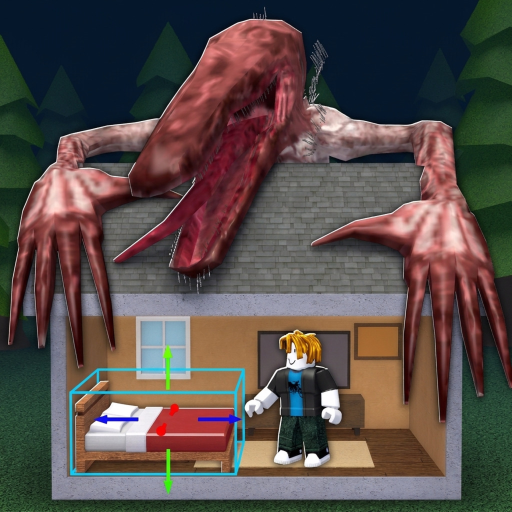
Even though Stay the Night has no public codes yet (November 2026), learning the redemption habit now means you will not fumble when LotusArts / Piroomuyo finally drop gifts. This guide walks through the usual Roblox promo flow, Stay the Night–specific prep, and failure cases so your first code attempt succeeds.
Return to the Codes Hub for the live list. Pair rewards with real progression in Getting Started and Earn Rent Fast instead of treating codes as a substitute for supermarket work.
Before you redeem anything
- Confirm the source. Trust the official experience page, the Piroomuyo group, or a LotusArts post mirrored on our codes hub. Ignore random comment spam.
- Launch on the correct account. Codes bind to the Roblox user you are logged in as. Do not redeem on an alt if your coziness house lives on main.
- Update Roblox. Stale clients sometimes hide gift UIs or fail inventory grants.
- Have inventory space. If a code grants furniture crates or tools, a full backpack can soft-fail the grant.
- Read the reward text. Cash codes fund hauls; coziness boosts change unlock timing for survivors—plan accordingly with Furniture & Coziness.
Typical in-experience redemption path
Exact button labels can shift after UI patches—recheck Updates if a step disappears. The pattern for most Roblox live games is:
- Join Stay the Night and finish any mandatory tutorial prompts.
- Open the main menu / shop / rewards panel (often a gift box, Twitter/X bird icon, or “Codes” button on HUD).
- Tap the Codes or Redeem field.
- Paste the code exactly. Prefer paste over retyping to avoid
Ovs0mistakes. - Confirm. Wait for a success toast or mailbox grant.
- Check cash, inventory, and house storage before leaving for the supermarket.
If the game uses Roblox’s website promo redemption instead of an in-game box, redeem on the Roblox site while logged into the same account, then relog into the experience to pull rewards.
After a successful redeem
- Screenshot the success message for your own records.
- Spend cash on S-tier furniture gaps from the Furniture Tier List, not impulse playground flexes.
- If you received a coziness item, place it before dusk so survivor unlocks can process—then secure the house using the Night Checklist.
- Tell teammates in your 7-player lobby so they can redeem too; staggered grants should not delay the whole group’s curfew.
Troubleshooting failed codes
| Symptom | Likely cause | What to try |
|---|---|---|
| Invalid code | Typo, expired, or fake list | Re-copy from Codes Hub; check expiry notes |
| Already redeemed | One-per-account limit | Stop spamming; move on |
| Not available in experience | Wrong game or region gate | Confirm you are in Stay the Night, place 93349291960708 |
| No reward visible | Delayed grant / full inventory | Relog, clear space, check mailbox |
| UI missing | Patch moved the button | Skim Launch Notes and latest update page |
Never install a “code redeem tool” executable. That is malware territory—see Script Safety. Official codes never require a third-party injector.
Etiquette and safety
Do not beg strangers for codes in public servers. Do not trade account logins for “code bundles.” Do not share screenshots that accidentally include session cookies or private messages. When a code is limited-time, redeem first, flex on socials second.
How this wiki will help when codes go live
Each hub entry will show status (Active / Expired), reward summary, and first-seen date. This how-to page stays evergreen: only the hub table changes weekly. If redemption steps change after a major UI redesign, we will revise the numbered list above and call it out in Updates Hub.
Practice run without a code
Until promos exist, practice the rest of the economy: haul efficiently, raise coziness, house better survivors, and respect the Beast. Codes should feel like spice, not the meal. When the first string finally appears on the group wall, you will already know which furniture tier to feed and which rent goal to chase.
For the empty-but-ready list, return to Codes Hub. For official URLs, keep Official Links bookmarked beside this guide.
Frequently Asked Questions
Quick answers about Stay the Night on Roblox.
Can I redeem codes right now?
There are no public working codes as of November 2026. Follow this guide so you are ready when the Codes Hub lists the first active string.
Where is the codes button in Stay the Night?
Look for a gift/codes control in the experience HUD or menu. If a patch moves it, check the latest Updates note.
Do I redeem on the website or in-game?
Most modern Roblox games use an in-experience field; some still use Roblox site promos. Try in-game first, then site redemption on the same account if needed.
Why did my code say invalid?
Common causes: typo, expiry, already redeemed, or an unofficial fake list. Re-copy from a verified source on Codes Hub.
Are code redeem scripts safe?
No. You do not need executors to redeem official codes. Avoid them—read Script Safety.